

Yfirleitt þarf að byrja á því að fara í Bios og breyta IDE í ACHI áður en Windows er uppsett (ef windows er sett upp í IDE þá er hægt að breyta í ACHI eftir á)

Svo eru nokkur tweek til og það eru:
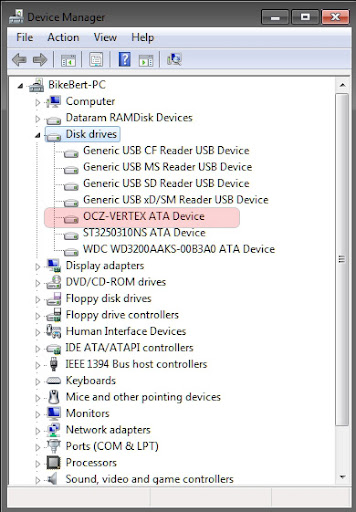
Enable Write Caching:
Leið: Open the Control Panel -> System and Security -> Device Manager -> expand Disk drives -> Double click á storage device that you want to enable write caching for -> Click on the Polices tab -> By default, "Enable write caching on the device" is checked under the Write-caching policy section. If not, then check it -> Select (check) the "Turn off Windows write-cache buffer flushing on the device" box -> Click on OK -> Click on Yes to restart the computer to apply.
WARNING: Turning off "Windows Write-cache Buffer Flushing on the Device" runs the risk of data loss in case of a power failure without actually shutting down the machine Ef rafmagnið fer þá áttu í hættu að tína skjölum sem eru ekki save-uð !

Disable indexing:

Leið: Computer -> Right click on SSD Drive -> Properties -> Uncheck Allow files on this drive to have contents indexed in addition to file properties -> Click OK
Once you unchecked indexing follow the onscreen instructions, poppar upp gluggi þú gerir bara ignore all (minnir mig)

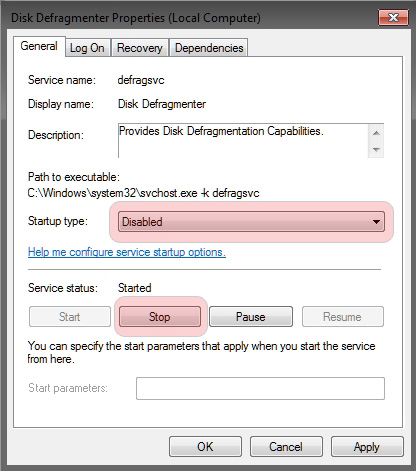
Disable defragmentation: Þarf ekki í Win7
Leið: Start Menu -> Right-Click Computer -> Manage -> Services and Applications -> Services - > Right-Click Disk Defragmenter -> Startup type: Disabled -> OK
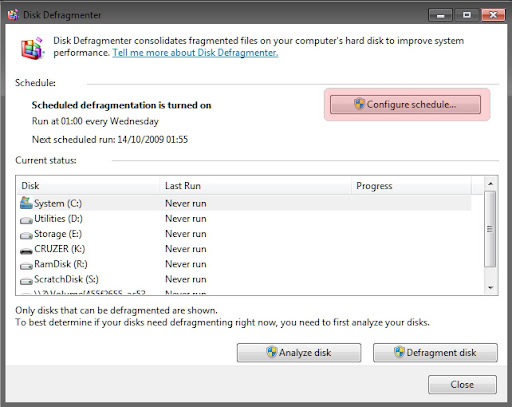
Turn Off the Disk Defragmenter Schedule: Þarf ekki í Win7
Leið: Start Menu -> All Programs -> Accessories -> System Tools -> Disk Defragmenter -> Click on the Configure schedule button -> Uncheck the Run on a Schedule box -> Click on OK -> Close the window.
Þetta er það helsta .
Látið vita ef ég er að gleyma einhverju !
